B2B/B2C SAAS PLATFORM REDESIGN
SaaS Workspace Redesign
Re-architecting navigation and core workflows to reduce cognitive load while keeping the experience consistent with an existing DS.
COMPANY
NDA B2B Client
ROLE
Product Designer
TEAM
PM, Frontend, CEO
TIMEFRAME
2025
Description
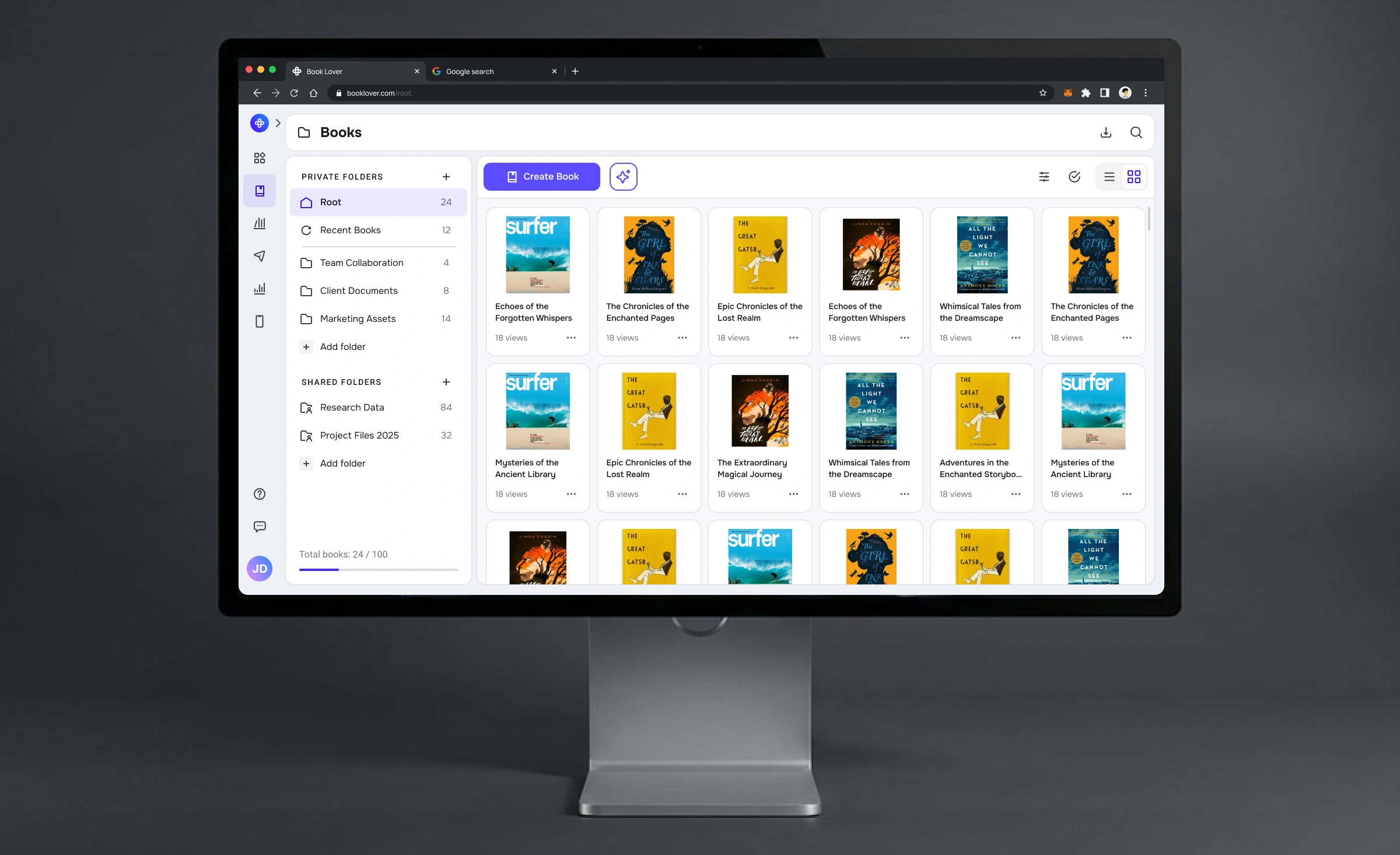
This project focused on redesigning a workspace experience for a content platform used in a B2B environment. The goal was to make everyday actions easier to find, unify navigation across sections, and standardize workflows—without breaking users’ existing mental model & update the design system.
Context
The platform helps teams create, organize, and publish content at scale. Users range from power users who work in the product daily to occasional contributors who need to complete tasks quickly.
The redesign needed to work for both: frequent users who rely on speed and muscle memory, and less frequent users who depend on clarity and guidance.
The Problem
Over time, the workspace UI accumulated inconsistent navigation patterns and one-off workflows. As a result, common tasks required too many decisions: “Where do I go?”, “Which section owns this?”, “Why does this screen behave differently?”
Key symptoms
Core actions were not consistently discoverable across sections.
Similar workflows looked and behaved differently
Too many controls competed for attention, increasing cognitive load.
Constraints
This was a pre‑release redesign under NDA constraints, so I focused on showing the UX logic, architecture, and system thinking rather than sensitive business details.
Challenges
Existing design system and patterns had to remain the backbone.
Engineering constraints required pragmatic solutions that could be built incrementally.
The new experience needed to feel familiar for existing users.
My Role
I owned the UX and UI direction for the workspace redesign: information architecture, navigation model, key flows, interaction details, and design system alignment. I partnered closely with PM and frontend, and regularly reviewed decisions with the CEO.
What I did
Mapped the navigation model and defined a scalable structure.
Designed and iterated key workflows (happy path + edge cases).
Created high-fidelity prototypes for alignment and validation.
Ensured solutions reuse existing DS patterns and introduced minimal new ones.
Process
Since the feature wasn’t released yet, I used a lightweight validation approach: structured walkthroughs, design critiques, and proxy metrics. The goal was not “perfect research,” but de-risking the solution before development.
Process overview
Define the model: propose a navigation and workflow architecture.
Prototype and iterate: test the logic through interactive flows.
Validate quickly: walkthroughs with Lead/PM/CEO/frontend.
Systemize: ensure the solution scales and fits the design system.
Research & Planning
Before proposing a new workspace model, I reviewed product analytics, previous UX audits, and support tickets to understand where users were hesitating or dropping off in key flows. This highlighted several confusing ownership boundaries between sections and an overuse of one-off navigation patterns.
From there, I translated the main pain points into hypotheses like “core ‘Create’ and ‘Share’ actions are buried too deep and split across multiple sections” and “inconsistent entry points force users to relearn the product per module”. I validated and refined these hypotheses through focused walkthroughs with internal power users and the core team, watching where they paused, asked clarifying questions, or took unexpected paths.
Update Design System
Modify current design language focused on data density and clarity. Introduced a flexible grid system that works equally well for visual-heavy marketing content and data-heavy administrative lists.
Prototyping & Validation
I validated the redesign through cross‑functional walkthroughs and designer critiques. Instead of claiming production impact, I relied on proxy metrics to compare iterations and ensure the new model is objectively simpler.
How it was validated
Cross-functional walkthroughs with PM / CEO / Frontend to validate scope, feasibility, and edge cases.
Designer critiques to challenge hierarchy, navigation depth, and interaction logic.
Iteration on interactive prototypes with a focus on task flows.
Proxy metrics (steps, time-on-task in walkthrough sessions, clarity rating) tracked across iterations.
Solution
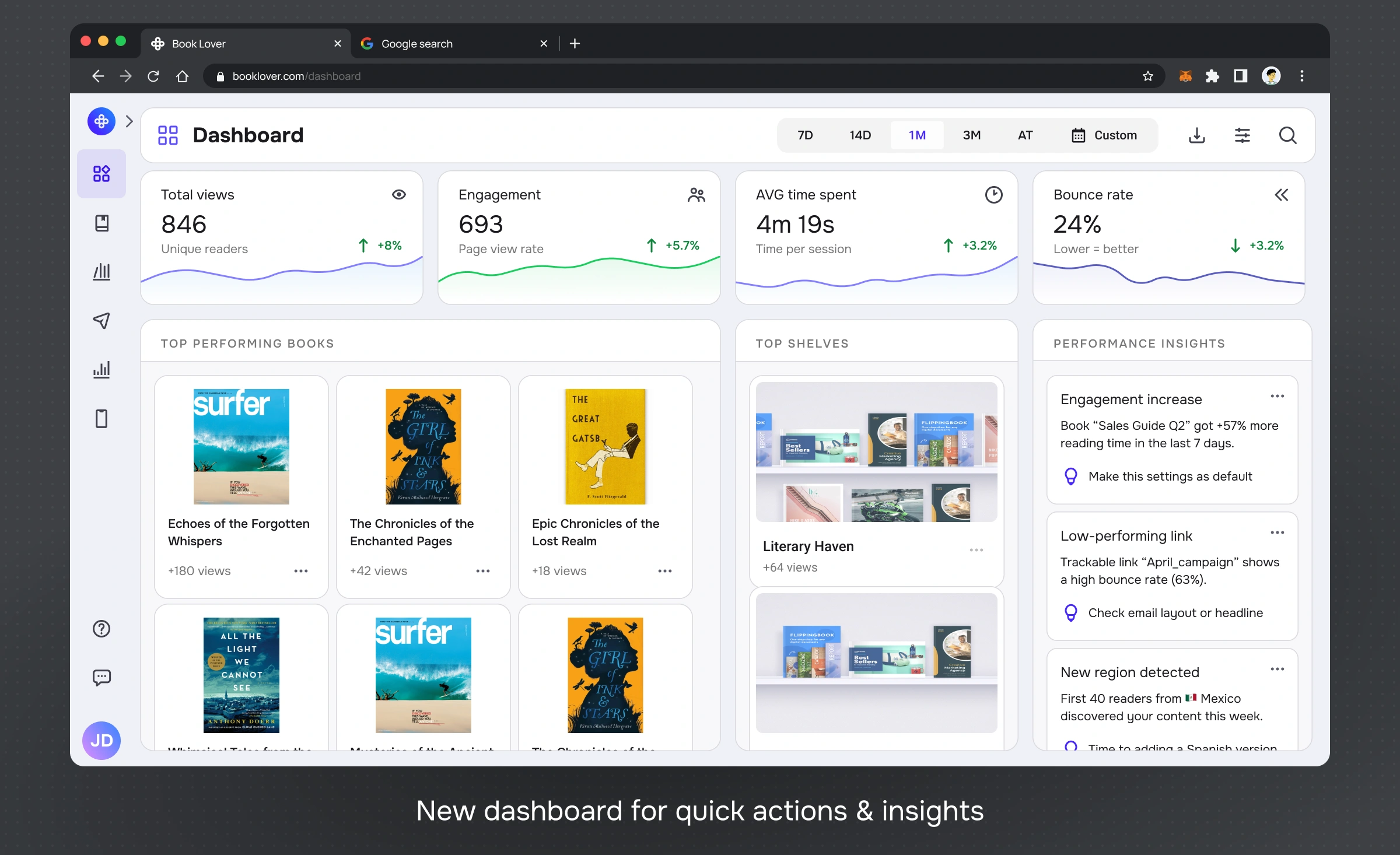
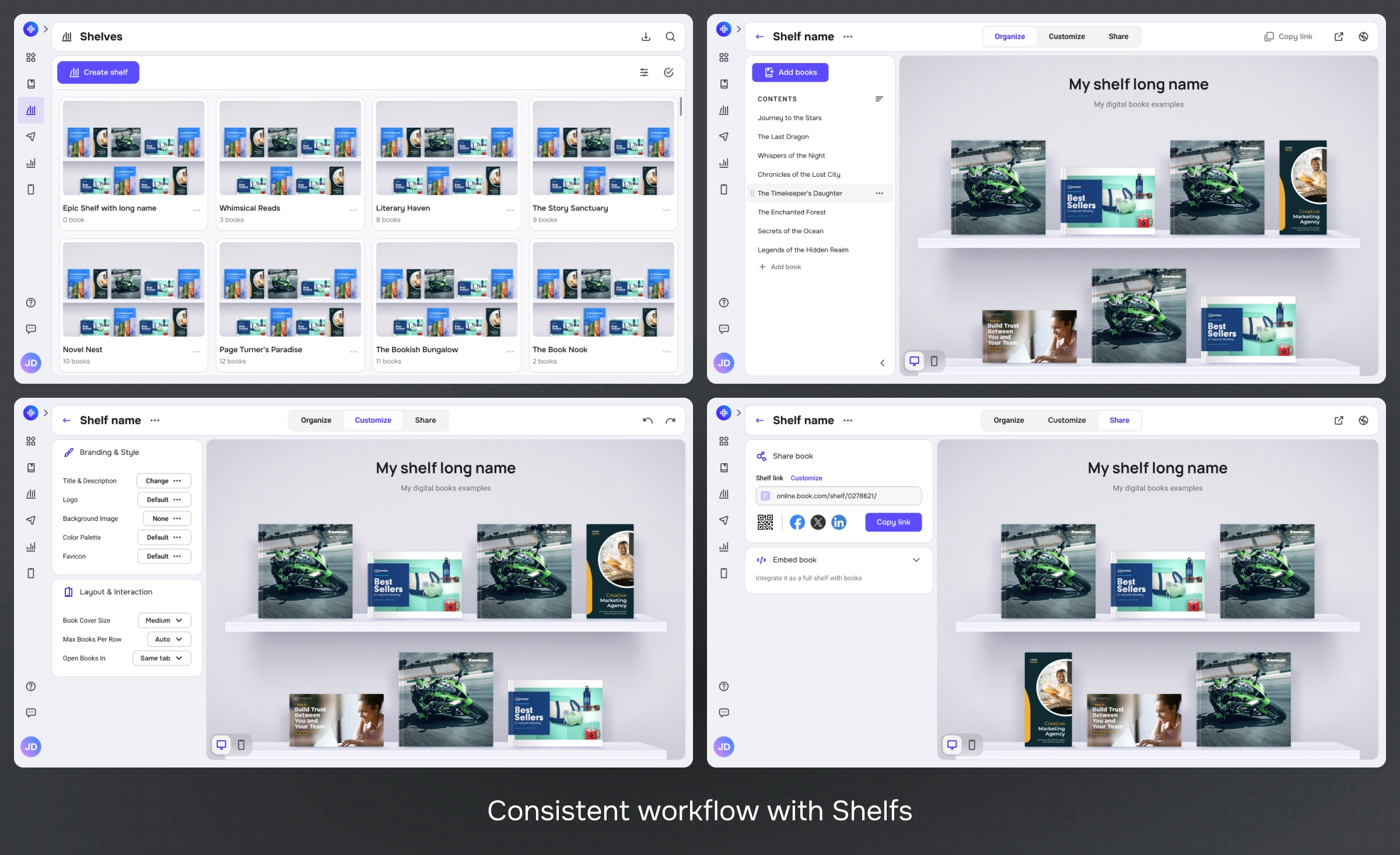
The core of the redesign is a unified account workspace built around a global left sidebar, consistent content workspaces, and simplified flows for documents and shelves.
In the public portfolio version, all screens are recreated with updated colors, mock data, and neutral branding to respect NDA constraints while showing the real structure and interaction patterns.
Unified global navigation
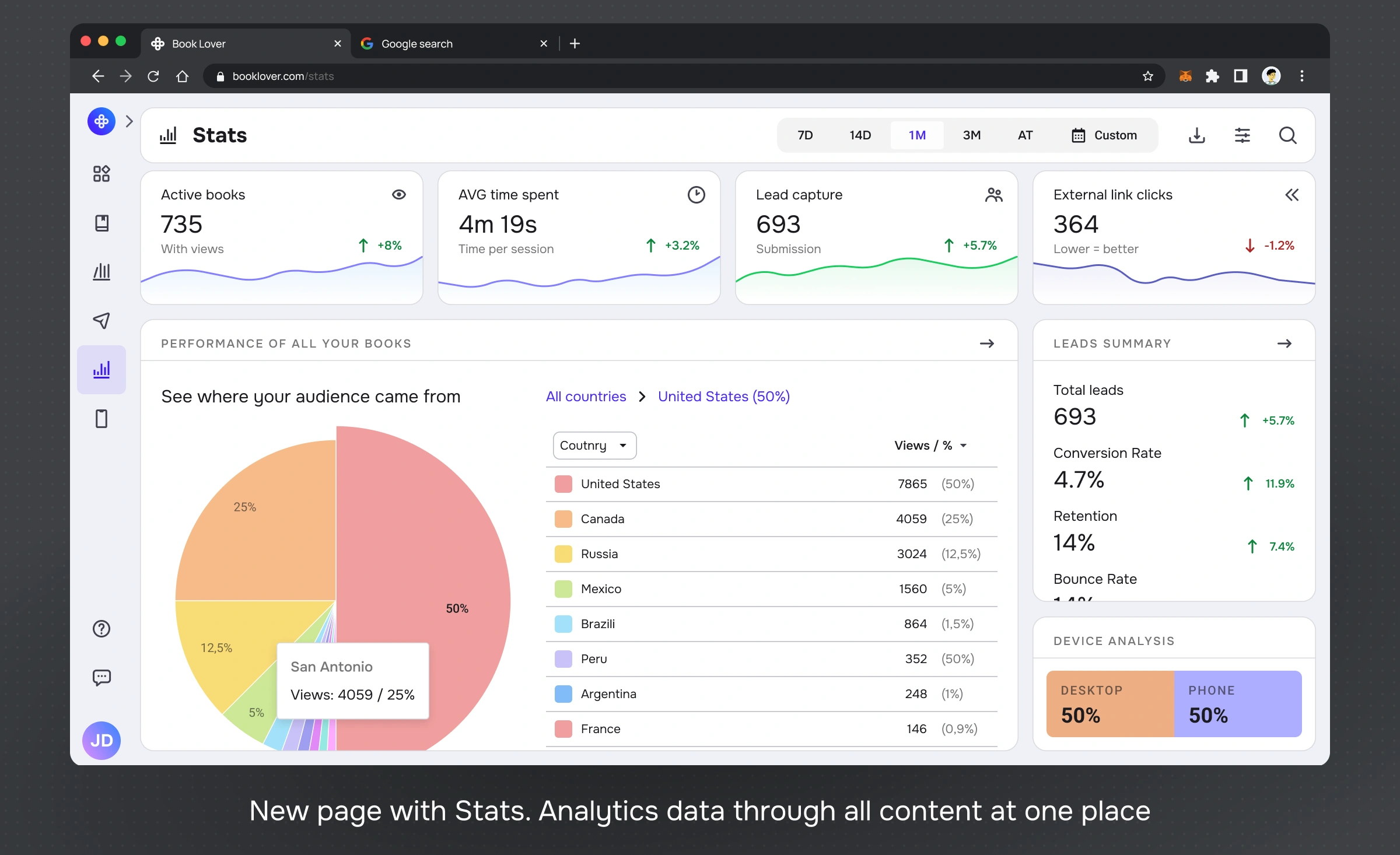
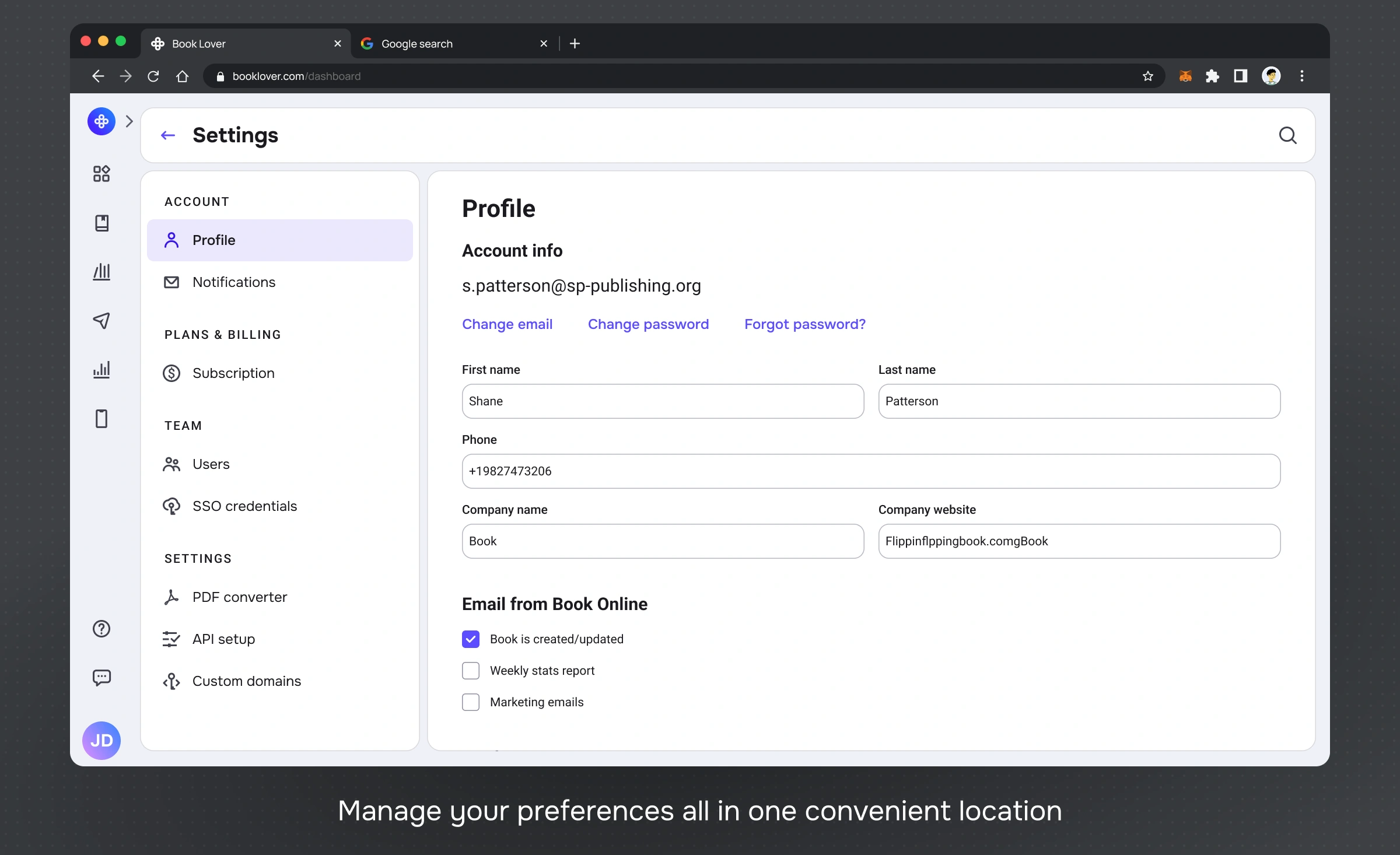
The new collapsible left sidebar becomes the single source of truth for top‑level navigation: Dashboard, Content, Shelves, Analytics, Settings. Regardless of where the user is, these entry points stay in the same order and location, flattening the information architecture and reducing the need to “hunt” for modules.
What changed
A single global structure that stays stable while content changes.
Clear hierarchy: global → section → item.
Consistent placement for core actions and secondary actions.
Why it matters? A stable model reduces “Where am I?” decisions and makes the UI scalable as the platform grows.
Consistent workflows
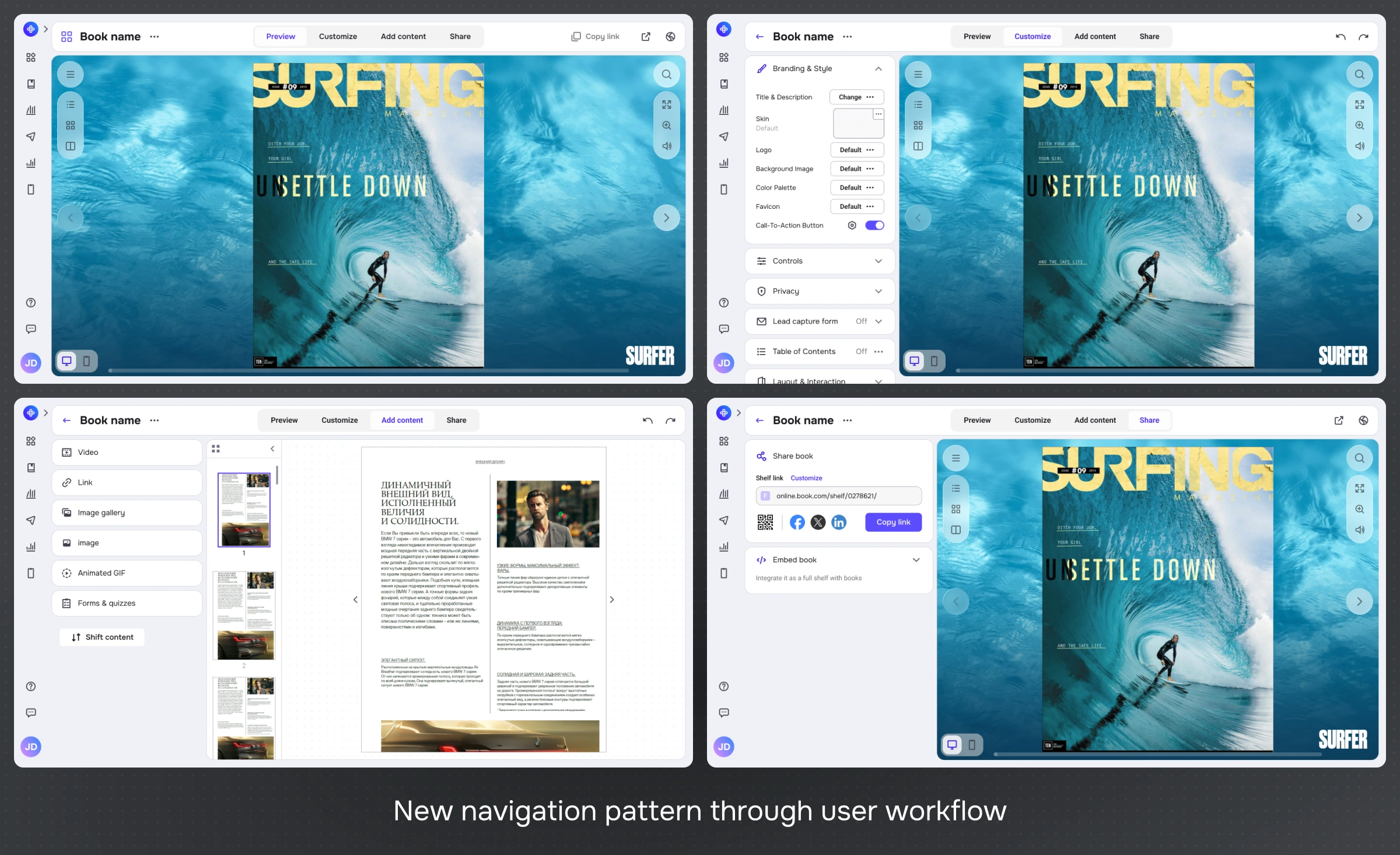
I standardized workflows around repeatable patterns. The goal was to make similar tasks feel the same everywhere — so users can transfer knowledge from one part of the product to another.
Working with a document now follows a clear sequence inside one workspace: Preview → Customize → Add content → Share → Analyze.
Patterns introduced/standardized
Create → configure → publish (predictable progression)
States: empty / loading / error / success
Inline vs modal decisions with clear rules
Why it matters? Consistency reduces training cost and speeds up daily work — especially for power users.
Minimal Disruption to the Design System
Keeping the redesign aligned with the existing design system was a deliberate constraint rather than an afterthought. We considered a larger visual overhaul with new component families, but that would have increased implementation cost and risk for a pre‑release feature.
How I kept it scalable
Reused existing components for core layouts and controls.
Introduced only a small set of new variants where needed.
Documented behavior rules so future features follow the same logic.
Results
Since the feature had not been shipped yet, we used interactive prototypes and structured walkthroughs as a way to quantify whether the new model was objectively simpler. All metrics below are based on internal sessions with power users and stakeholders, not production data.
In these prototype sessions, we consistently saw fewer steps to primary actions, higher task completion without hints, and better clarity ratings, which gave the team confidence to move forward with development. Once shipped, this redesign is expected to deliver:
Fewer steps to core actions
Reducing average steps to share, embed, or customize from 6-8 clicks down to 3-4, a ~50% decrease.
25-30% faster onboarding time
Cutting the time for new users to feel comfortable navigating the account area from ~45 min to ~30, thanks to a single, repeatable navigation model.
20%+ increase in feature adoption
Internal testers described the new workspace as “lighter” and “more obvious”, despite the same feature set, due to fewer competing patterns and a clearer hierarchy.
Support and roadmap benefits
Centralizing navigation and unifying document/shelf workflows is expected to reduce navigation‑related support tickets by 25–30% and make it easier to introduce future modules like dashboard‑level insights and advanced analytics without overloading the UI.
Proxy metric | Before | After | How measured |
|---|---|---|---|
Steps to primary action | 5 | 3 | Click-path count on prototype |
Task completion rate | 70% | 90% | Walkthroughs (without hints) |
Clarity rating (1–7) | 3.5 | 5.8 | Post-task quick rating |
Time-on-task (median) | ~75s | ~45s | Timed walkthrough runs |
Prototype
Reflection
The biggest challenge wasn't visual — it was balancing innovation with familiarity. With thousands of daily active users who rely on muscle memory, every layout change carries a risk of friction.
I learned that gradual evolution beats radical revolution. By validating the new navigation structure early with beta users, we ensured that the transition felt like an upgrade, not a disruption.
This project is under NDA, so I can’t publish screens or the full narrative publicly. If you’d like to review the actual deliverables, I can share a private walkthrough with real before/after comparisons, key flows, and the original presentation during a short call — just reach out and choose a time slot.