DESIGN OPS & ARCHITECTURE
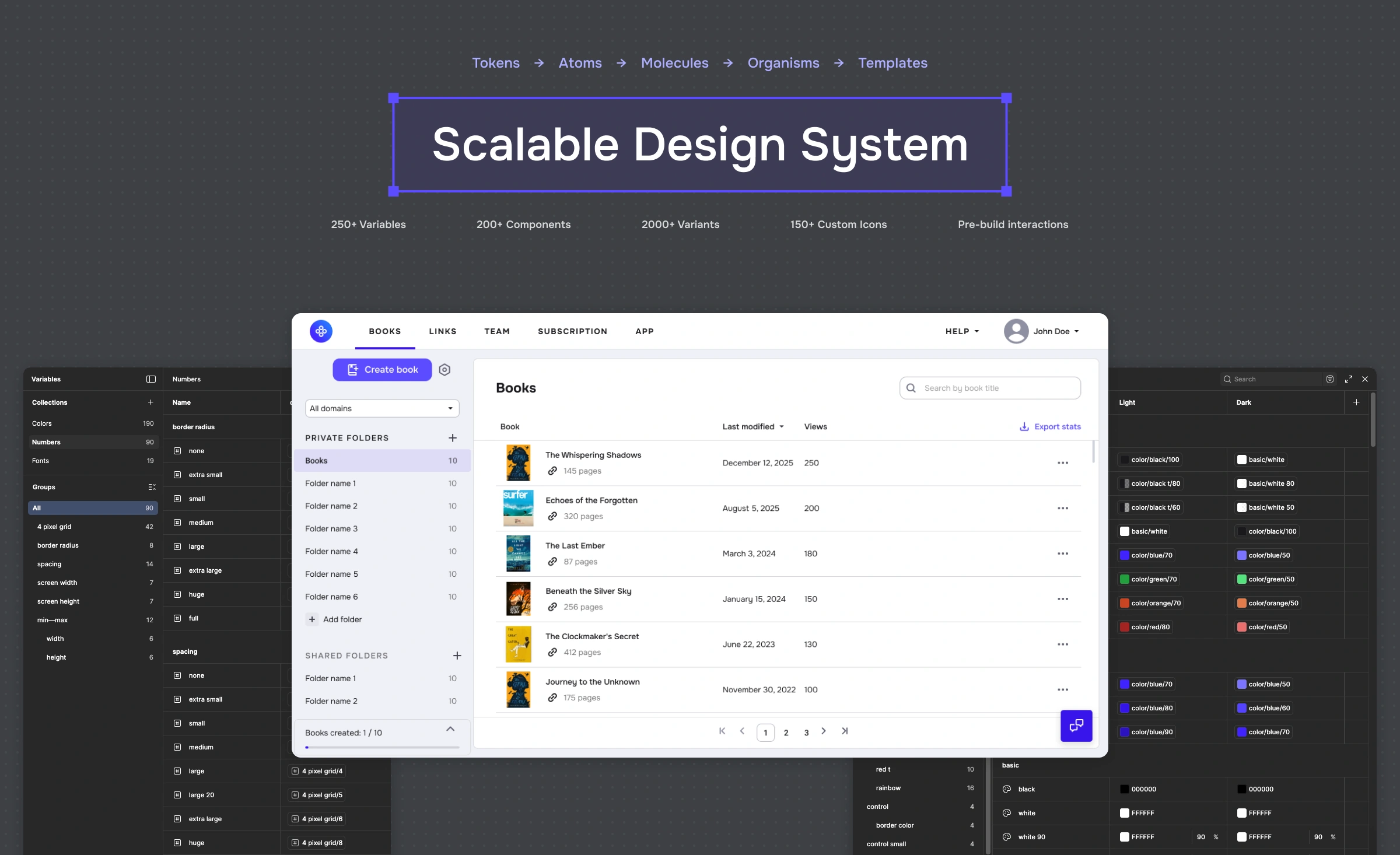
Scalable Design System
I turned a basic UI kit into a design+code system that made shipping UI faster, safer, and boringly consistent (in the best way) across a growing B2B SaaS product.
COMPANY
NDA B2B Client
ROLE
DS Architect
TEAM
PM, Frontend
TIMEFRAME
2020–2025
Description
This project wasn’t about polishing buttons. It was about removing friction from delivery: fewer UI debates, fewer regressions, and fewer “this screen is special” exceptions. I rebuilt the existing UI kit into a scalable design system with token-to-code parity and screen templates that cover every state users can actually see
Context
The product is a complex B2B SaaS with multiple modules and fast iteration cycles. The product already had a live UI and a basic UI kit, but it lacked a scalable system and consistent state coverage across screens.
Problem
The product already had a working UI and a simple UI kit. The problem was scale: as modules grew, small inconsistencies multiplied—designers redrew patterns, engineers reimplemented them, and QA kept catching the same visual issues. The system had to evolve while the product was shipping, not in a “pause everything and rewrite” fantasy.
Constraints
The product couldn’t stop shipping; adoption had to be incremental.
The system needed to work for real, messy product screens — not just UI kit.
Engineers needed code-ready tokens and component parity, not just Figma components.
My role
I owned the system end-to-end: audit, token model, component architecture, templates, documentation, and adoption. I partnered with 5 engineers to align on naming, parity, and contribution rules—so the system could scale beyond one maintainer.
What I did
UI audit → component inventory → prioritization.
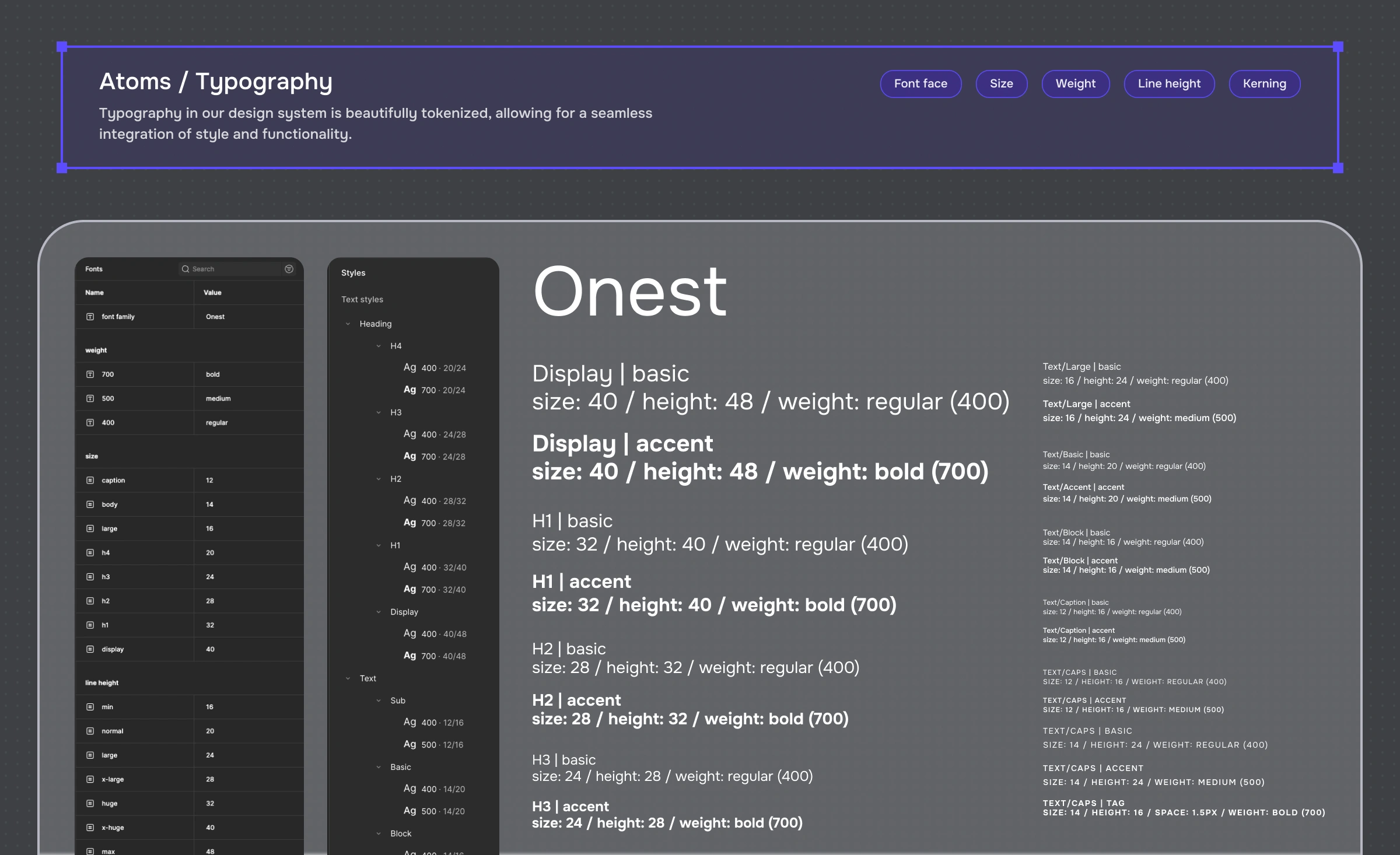
Token model (color, typography, spacing) and naming conventions.
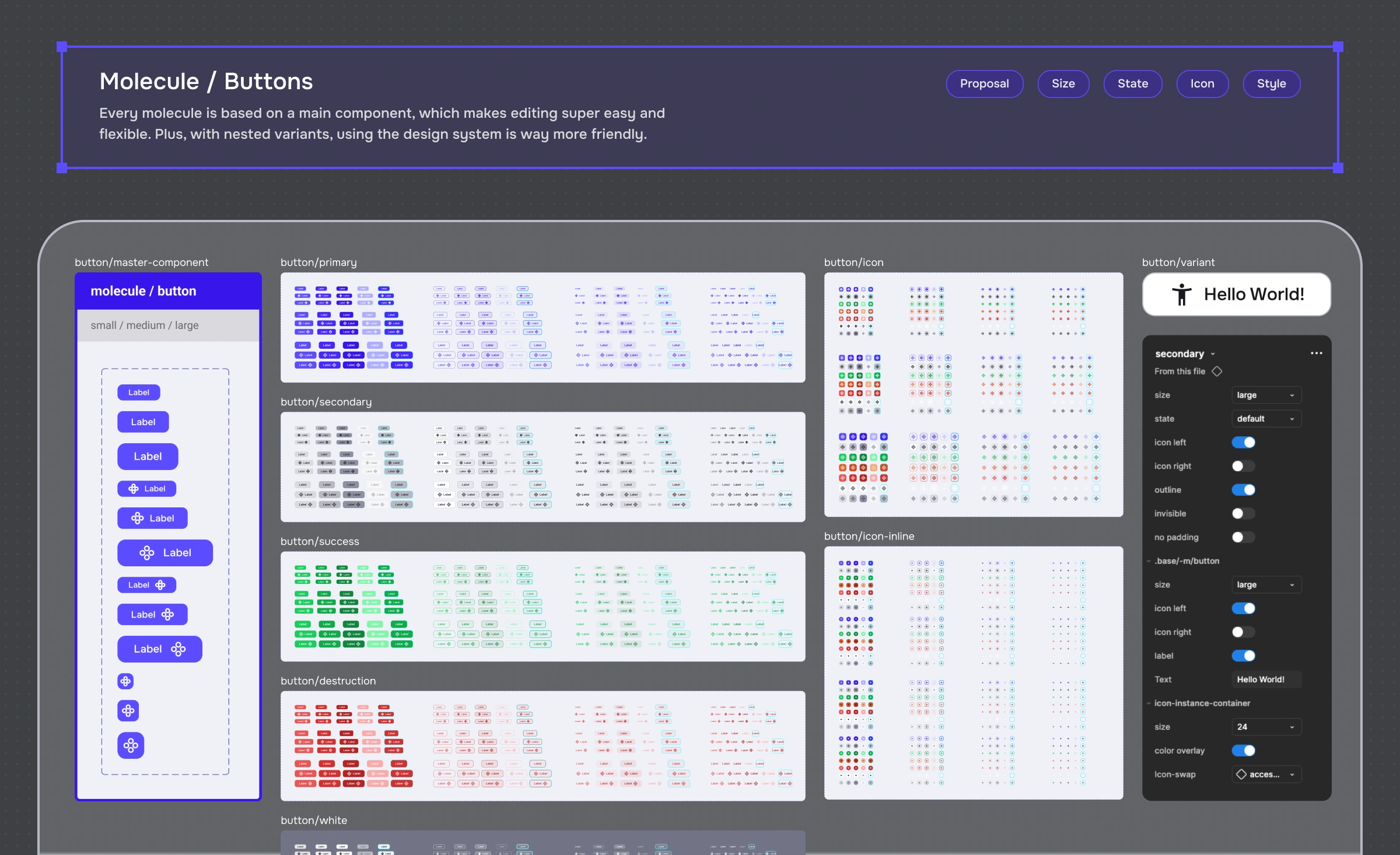
Component library + variants + interaction states.
Adoption workflow with engineers and design QA.
Process
I treated the design system like a product: define the users, solve their pain, ship iteratively.
Audit & inventory: Mapped inconsistencies, duplicated components, and high-frequency patterns across core screens.
Tokenize decisions: Converted UI decisions into a token model (foundations first, semantics where it matters) and aligned it with implementation.
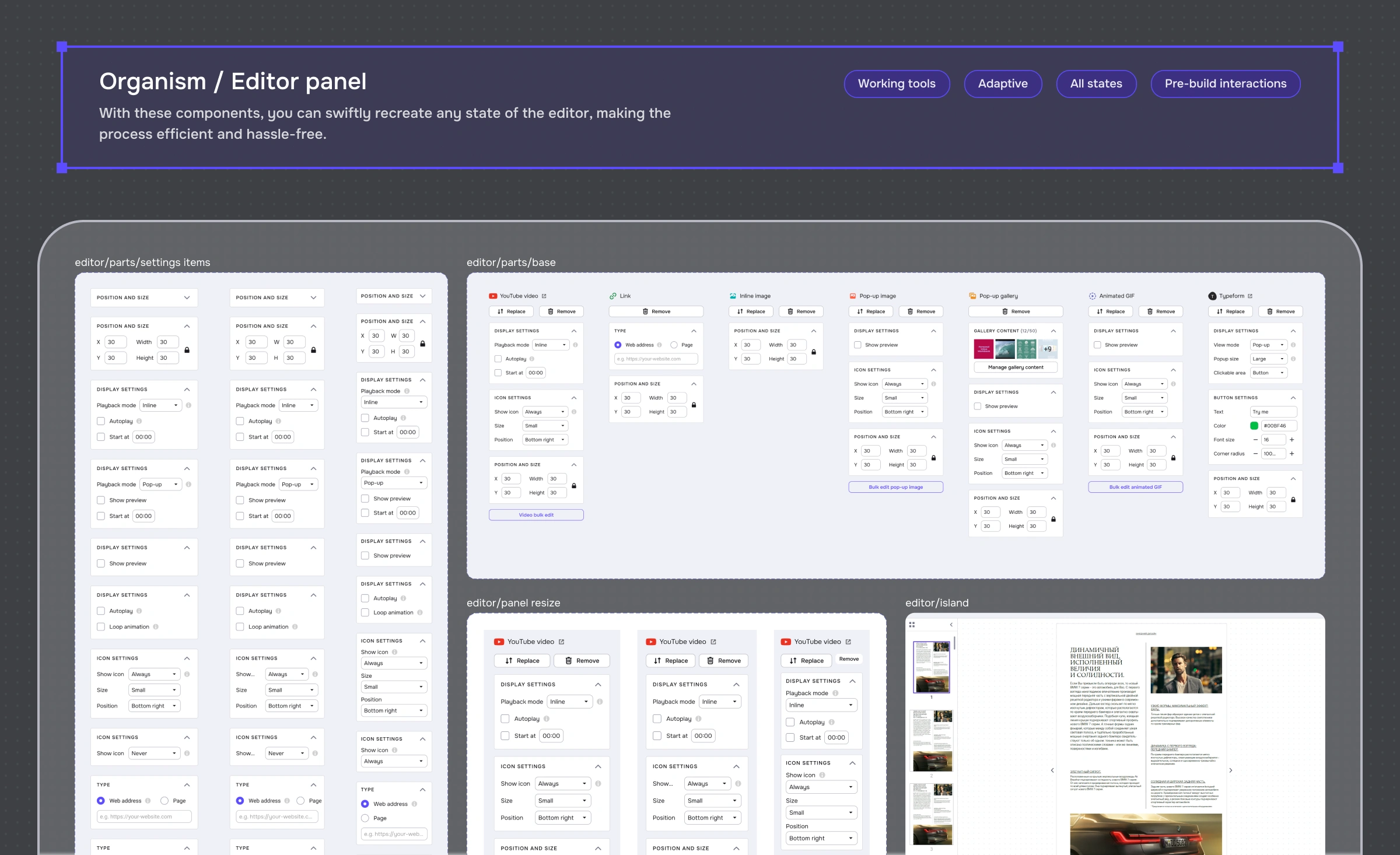
Build component parity: Rebuilt the core library with real states (hover/focus/loading/error/empty) and predictable variants.
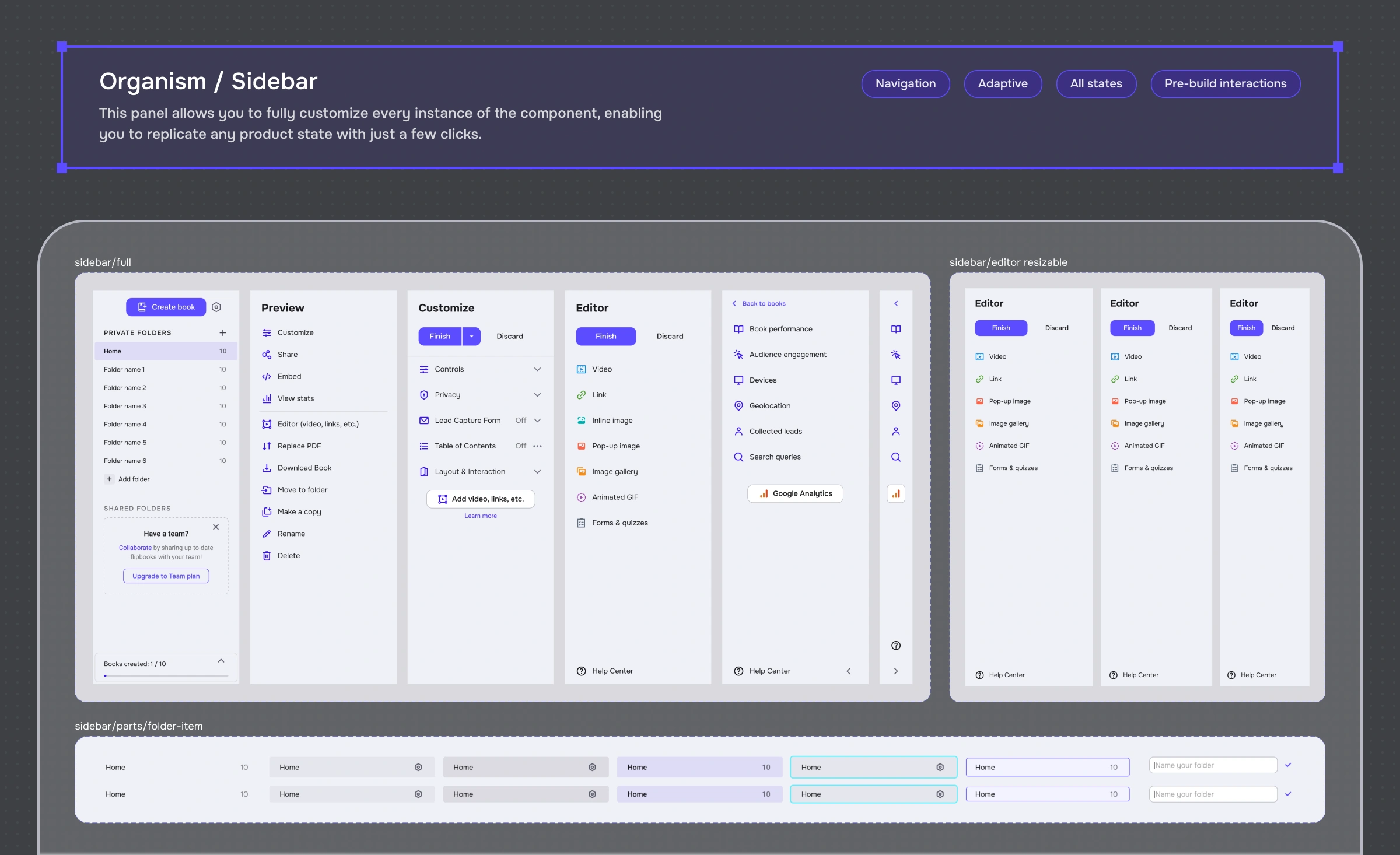
Systemize patterns: Standardized common workflows (tables, filters, forms, navigation, empty states, dialogs).
Adoption & governance: Introduced lightweight rules: how to request changes, how to review, how to publish—so the system stayed alive.
Adoption & governance
A system only works if teams trust it and can evolve it.
Governance model
“Single source of truth” library in Figma.
Clear contribution workflow: propose → review → publish.
Versioning and release notes (even lightweight).
Regular alignment with frontend on component parity and gaps.
Interactive by Default
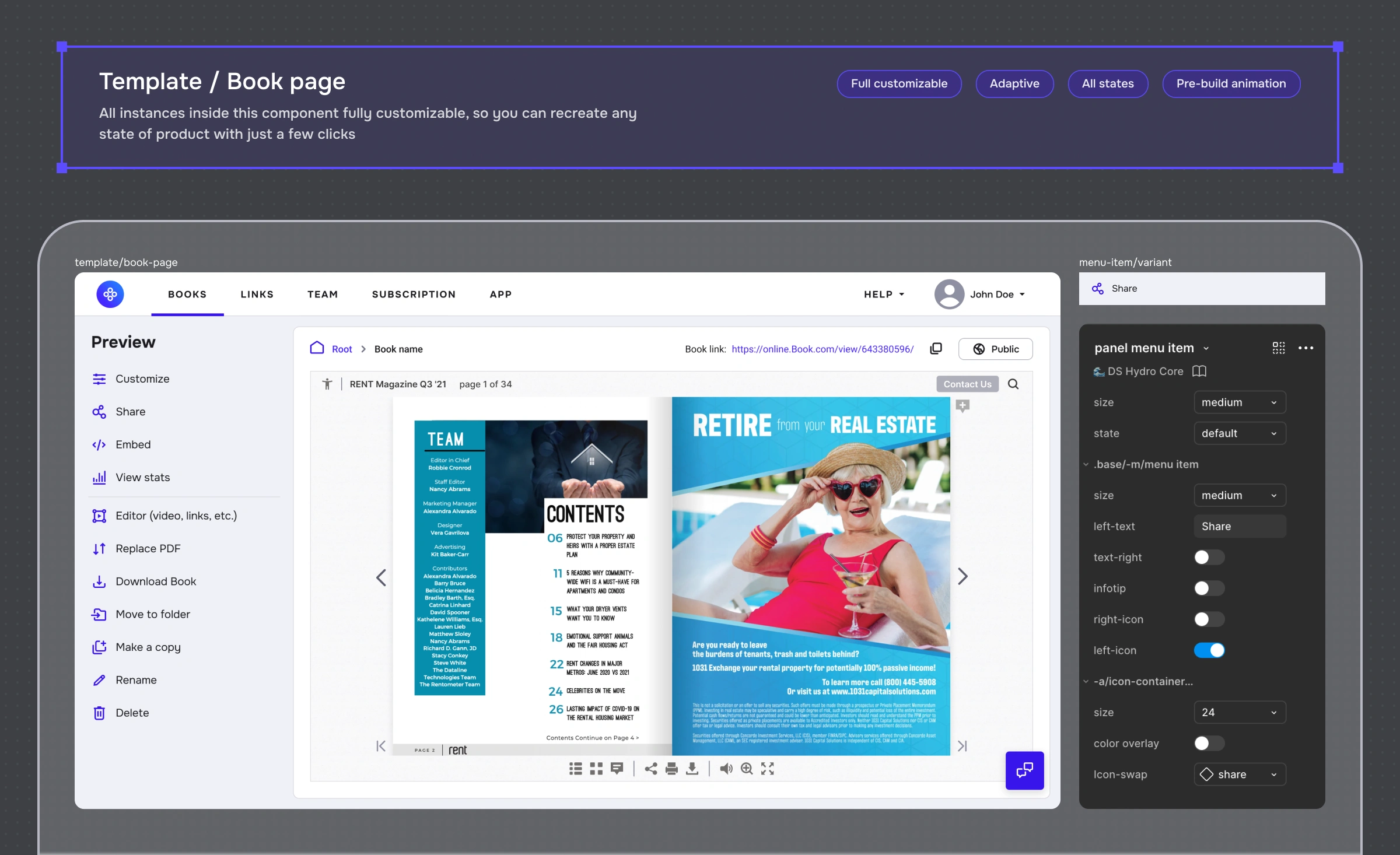
I leveraged Figma's prototyping features to embed interactions directly into components. Dropdowns open, buttons press, and inputs focus "out of the box," allowing designers to build clickable, high-fidelity prototypes without wiring up hundreds of connections manually.
Developer Handoff
Regular syncs with the frontend team and strict Storybook reviews ensured that the React implementation matched the Figma logic 1:1, including all states (Hover, Focus, Error) and edge cases.
Solution
A living library covering the entire product spectrum: from atomic elements to complex organisms like File Managers, Editors, Analytics and Viewers.
What I built
Token-to-code parity: Tokens weren’t “design documentation” — they lived in code, so the product UI stayed consistent by default (not by memory).
A production-grade component library: Core components with complete state coverage and naming that engineers and designers could actually follow.
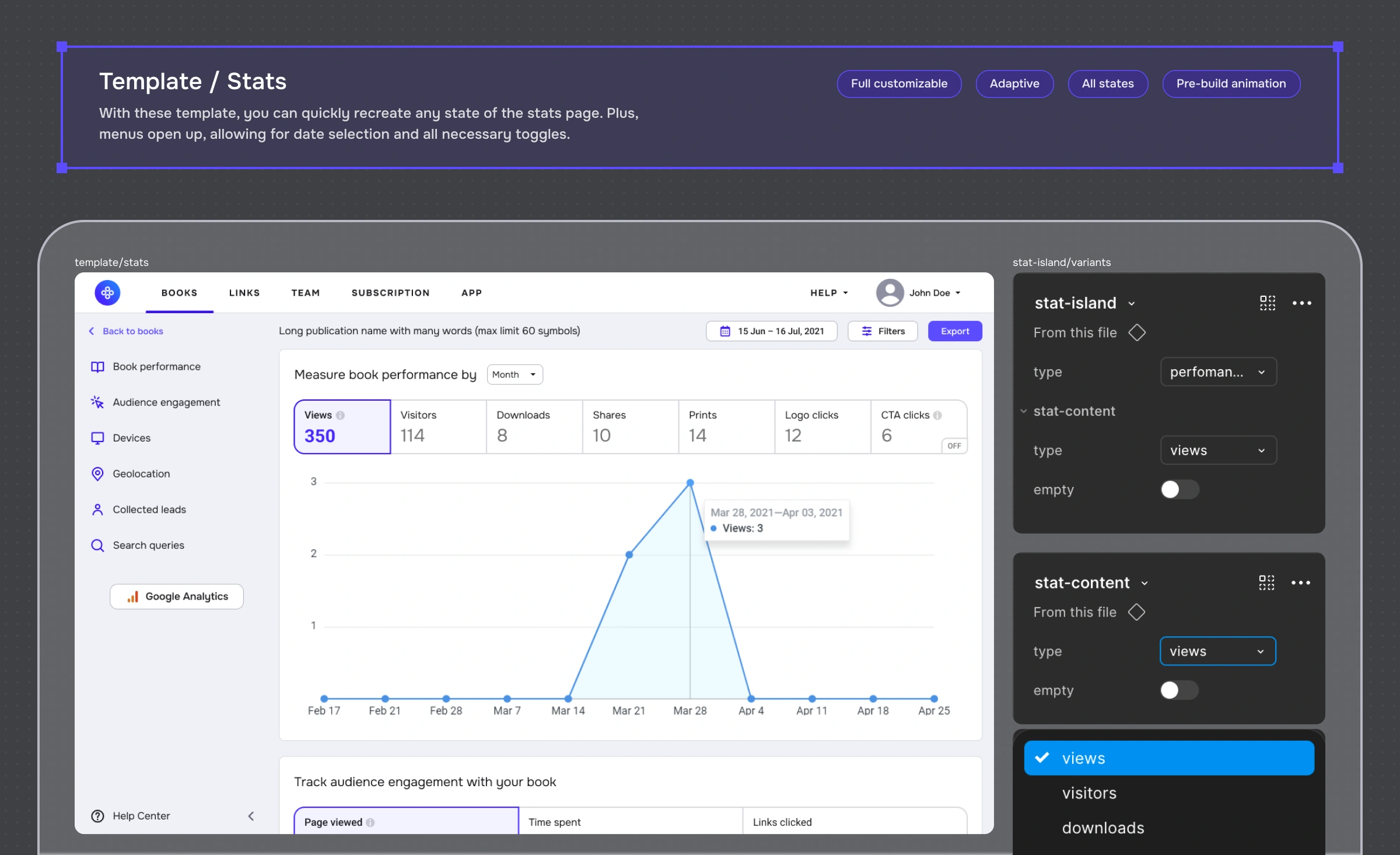
Screen templates with switchable states: I built templates for the main product screens where you can toggle into any user-visible state (loading, empty, error, permission, edge cases).
Why it worked
It made complexity explicit early, so it didn’t become QA bugs later.
It reduced drift between Figma and production because the source of truth was shared.
It removed “special snowflake screens” by giving teams reusable scaffolding.
Theme Ready
Native support for light/dark modes via variable collections. This future-proof architecture allows the product to support user-preferred themes or high-contrast accessibility modes with zero code refactoring.
Results
The system transformed how the organization builds software, shifting the focus from "fixing UI bugs" to "shipping value."
Note: these are internal proxy estimates based on design throughput, handoff/QA cycles, and regression tracking — not a controlled experiment.
40% Faster Design
High-fidelity prototyping now takes minutes instead of hours, as designers drag-and-drop complex organisms rather than drawing rectangles.
QA Efficiency
Visual bugs dropped as engineers reused tested components instead of writing one-off CSS.
Scalability & Consistency
The system successfully supported the rollout of major new modules (like the new Analytics Dashboard) without needing new fundamental UI work, proving its flexibility.
Metric | Before | After |
|---|---|---|
Design–code parity | ~35% | ~95% |
Component coverage (product UI) | ~50% | ~90–95% |
Adoption (active contributors) | 1 | 4 |
Hi‑fi design speed | baseline | ~40% faster |
Visual regression rate | baseline | ↓ “significantly” |
Template coverage (states) | — | 100% for core screens |
Business Translation:
If design review cycle = 2 days per new feature, and we release 8 features per month, that's 16 days/month in rework - 40% speed improvement = 6-7 days saved per month = 1 extra feature shipped
Engineering velocity increased ~30% on UI tasks )handoff cycle went from 3 days → 2 days on average)
Visual bugs/regressions dropped significantly. No exact count, but "CI tests now catch 90% of UI inconsistencies vs 60% before".
Prototype
Reflection
A design system is never “done” — it’s either evolving or decaying. The biggest lesson: the system isn’t the library, it’s the workflow around it. Once we moved from a solo-maintained file to shared ownership with clear rules, the system stopped being “a design thing” and became product infrastructure.