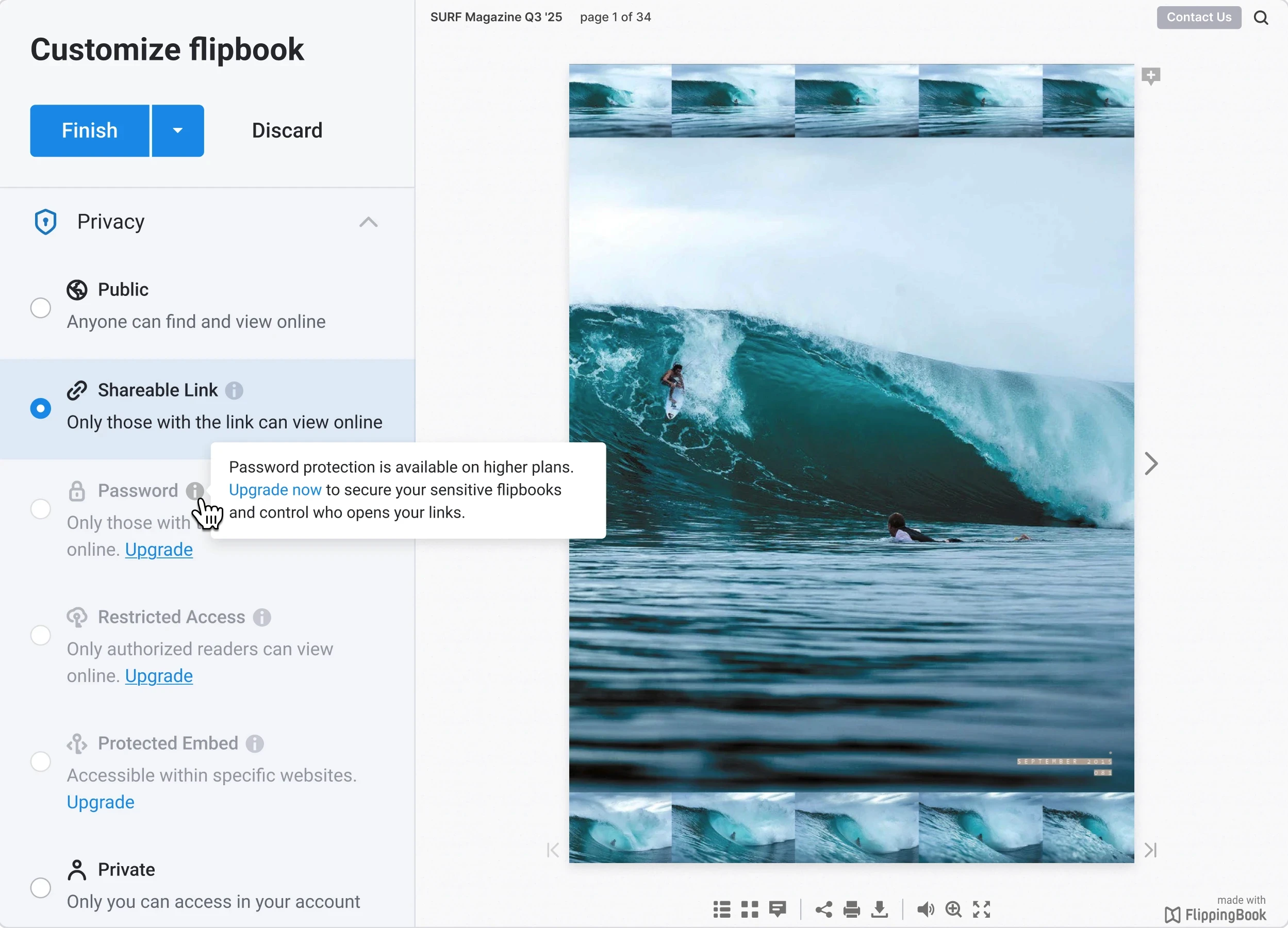

Privacy modes

Content Protection System

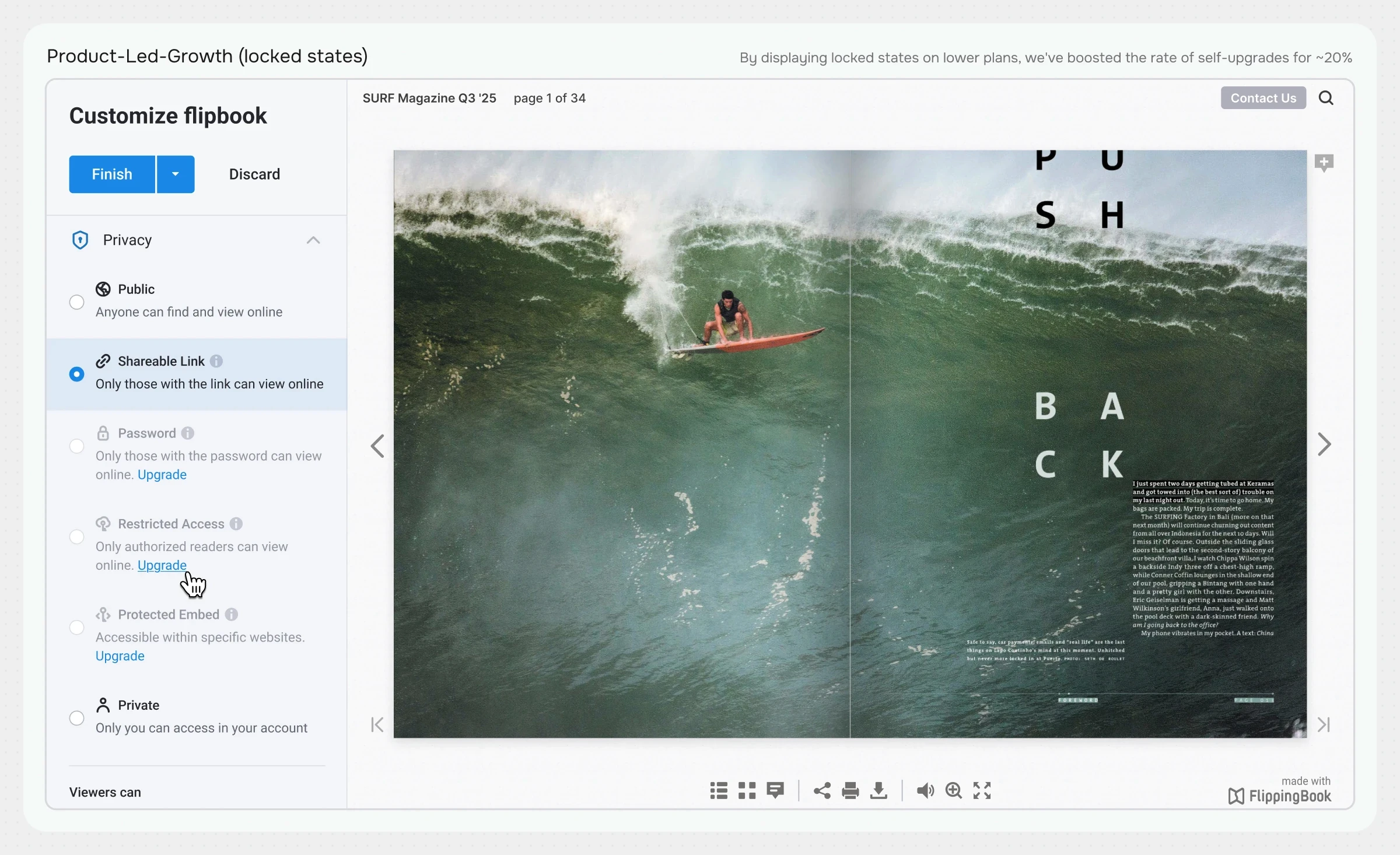
+20%

Self-upgrades

-80%

Support tickets

>70%

Feature adoption

TL;DR

Designed a granular privacy control system from scratch to unlock Enterprise sales and eliminate B2B churn. Engineered scalable user access layers, including SSO integration, domain whitelisting, and embedded upsell triggers, reducing support load by 80%.

Project overview

Background

FlippingBook relied on a basic content protection model: access via a direct link, with the option to add a password. However, enterprise clients sharing highly sensitive documents, reports, and presentations needed more robust controls. By 2022, as the product grew rapidly in the enterprise B2B segment, these basic settings fell critically short.

Problem

Sales reps were losing high-value deals every week, with the lack of advanced access settings ranking among the top three reasons for customer rejection.

Support was overwhelmed with repetitive tickets asking, "How do we restrict access to our flipbooks?"

Team

Designer, CEO, PM, Sales, Support, Frontend, Backend

My role

Sr. Product Designer

UX Owner Researcher Product designer

Timeline

2022–2025

Context

FlippingBook is a content-sharing platform used by 48,000+ teams worldwide, serving 3+ million monthly readers, including around 200 Fortune 500 clients. The platform bridges traditional static documents and modern interactive experiences, providing a secure, flexible way to create, customize, and distribute interactive flipbooks with built-in analytics and tracking.

The starting point

Core challenge

Clients are leaving due to the lack of flexible privacy settings

Typical use case

A CFO prepares a quarterly financial report, uploads it to our service, and secures it with a single, shared password. The link is sent to board members. A week later, one recipient accidentally forwards the link and password to a company-wide Slack channel. The sensitive financial figures are exposed to the entire organization, forcing the client to search for a more secure solution from a competitor.

Content security method

Password only

Lost leads

~6 deals per month

Support workload

50+ tickets per month

Where we started

Single mode: Password

Goals

Design perspective

Build a scalable access hierarchy architecture and design upgrade/upsell logic

Business perspective

Establish a strong foothold in the enterprise segment and address security objections

Engineering perspective

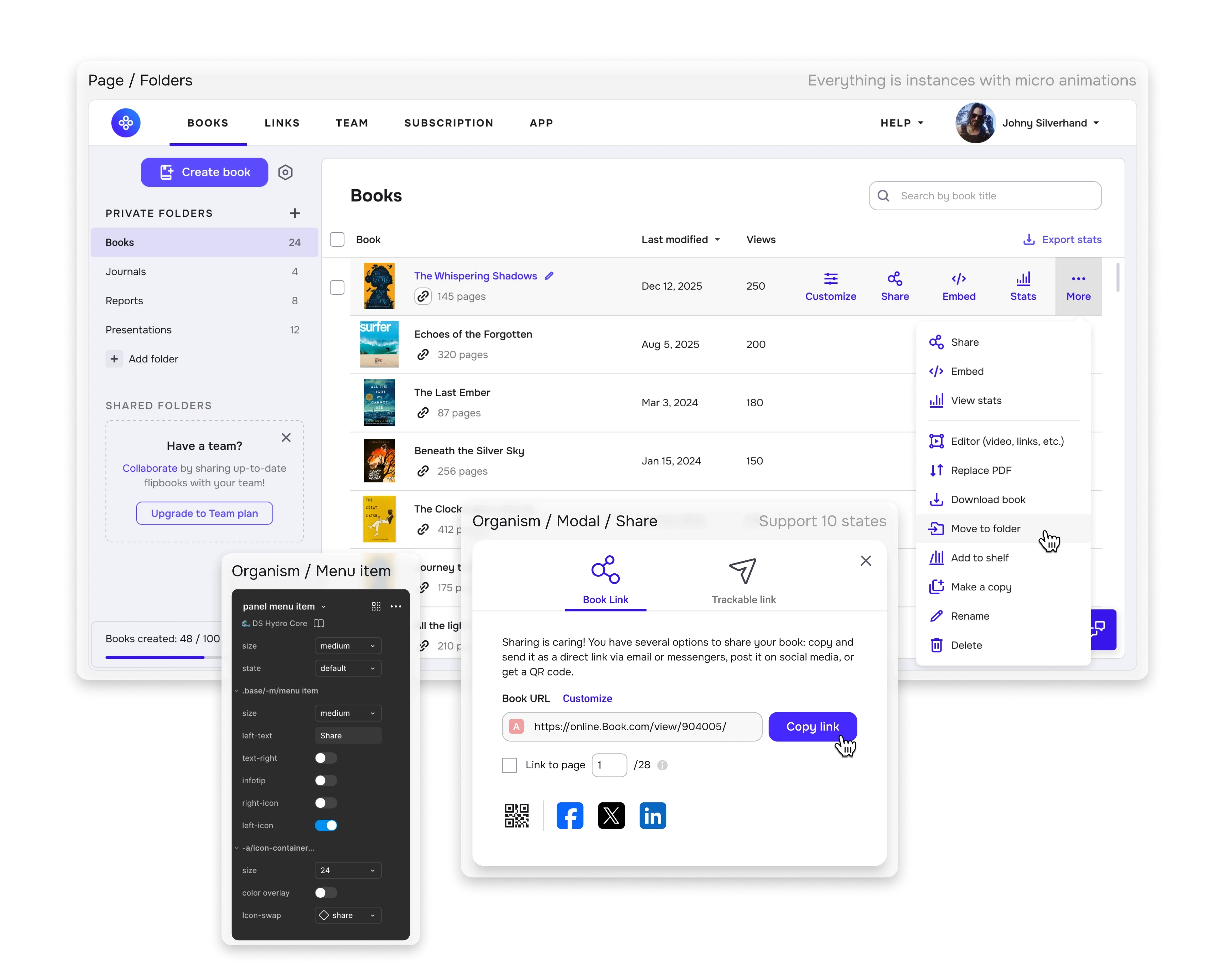
Design a unified, reusable UI component

The process

I structured the workflow to turn a chaotic stream of complaints into a systematic redesign of our information architecture.

Two main phases:

  1. Identifying pain points, validating hypotheses with usability tests, and scoping the MVP.

  2. UX detailing, UI design, developer hand-off, implementation quality control, post-release analytics, and subsequent iterations.

1 •

Discovery

Research

Internal audit

Research

Competitive benchmarking

VALIDATING

JTBD, hypotheses, and user flow

STRATEGY

Trade-offs and Tech Debt

ALIGNMENT

Aligning Stakeholders

2 •

Delivery

ARCHITECTURE

Privacy Architecture

ARCHITECTURE

Designing Upsell Funnels

Validating

Usability Testing

SYNCRONIZATION

Evolution of access modes

TIMELINE
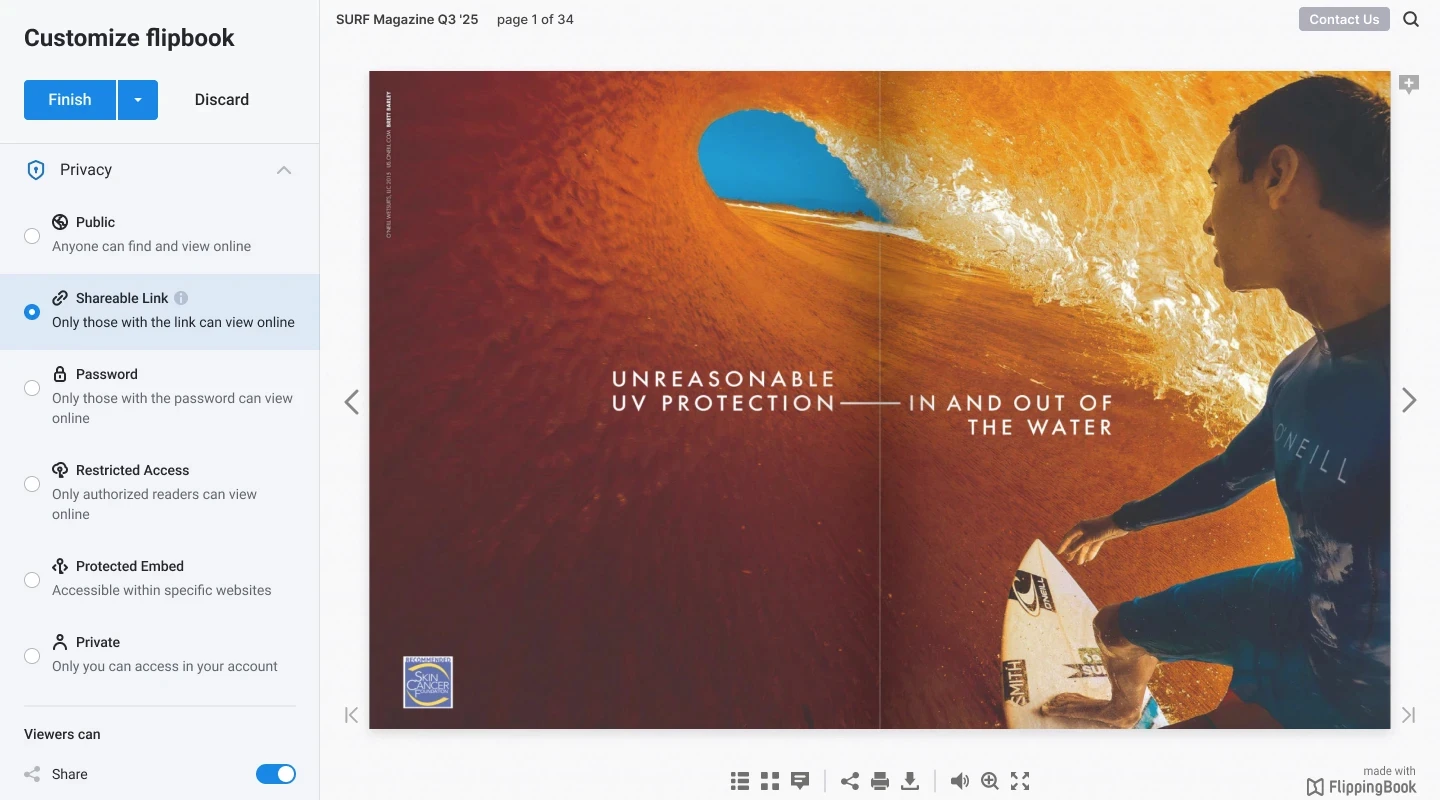
Launch & Impact

The outcome

Comparison

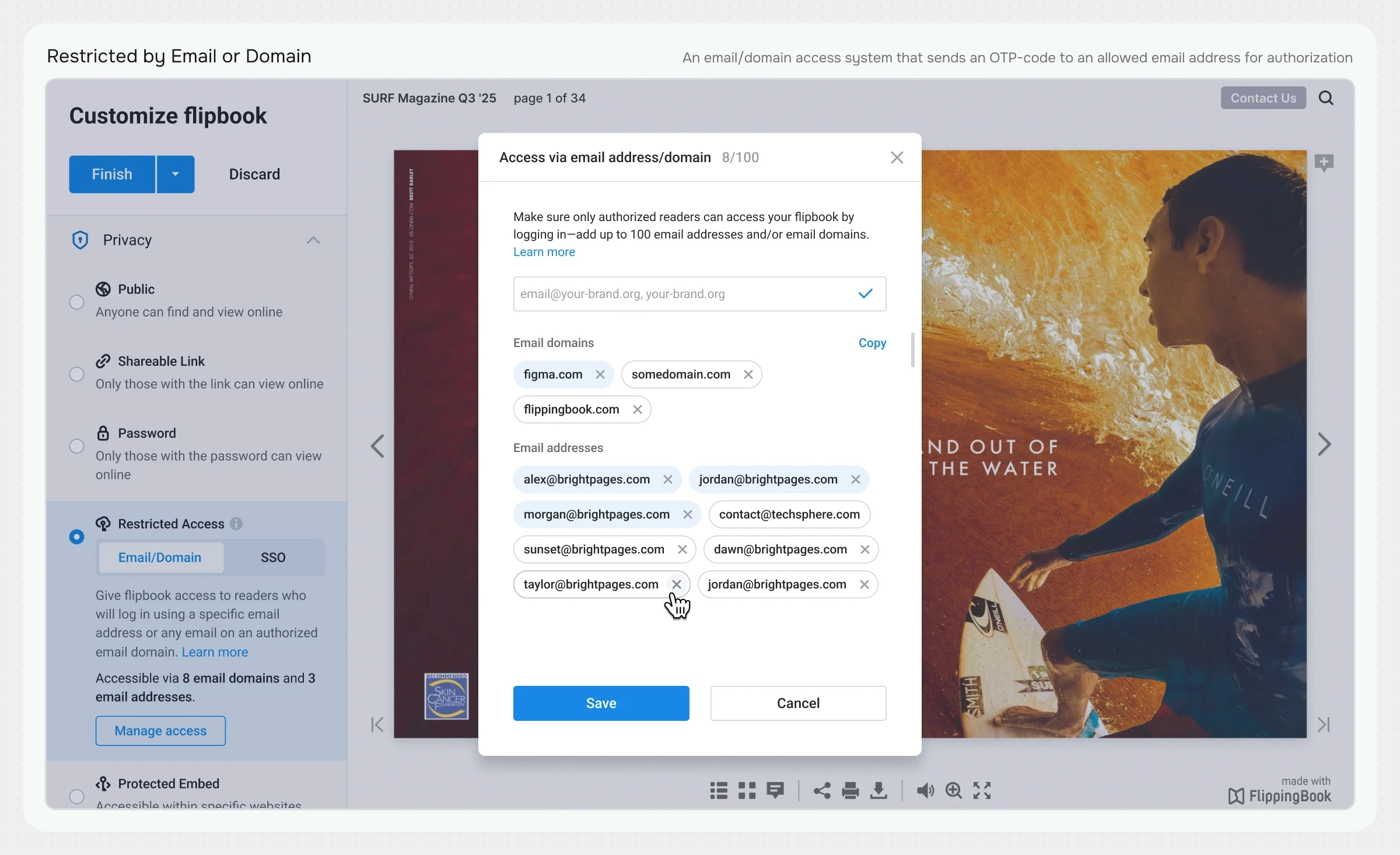
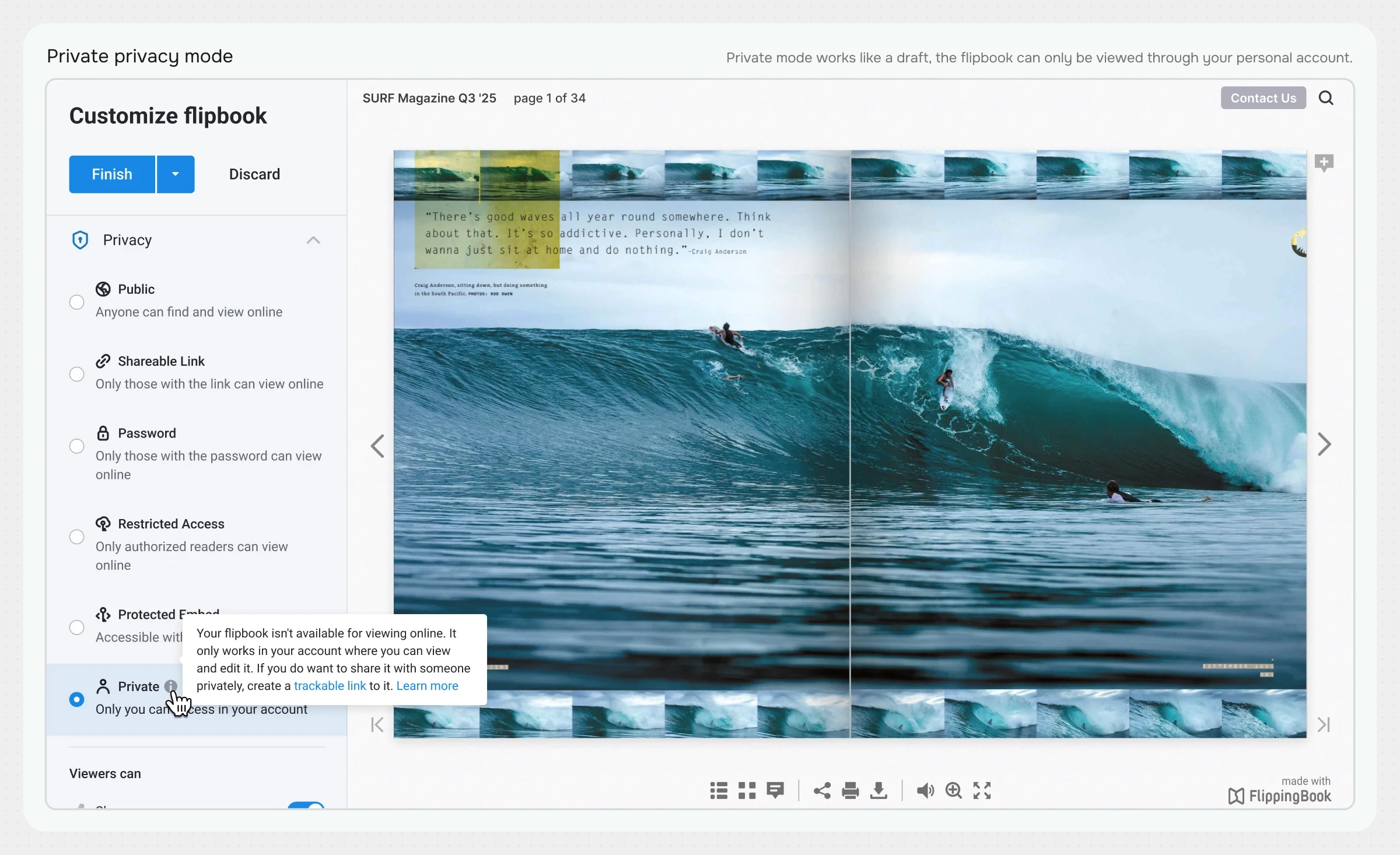
As shown in the Customizer interface

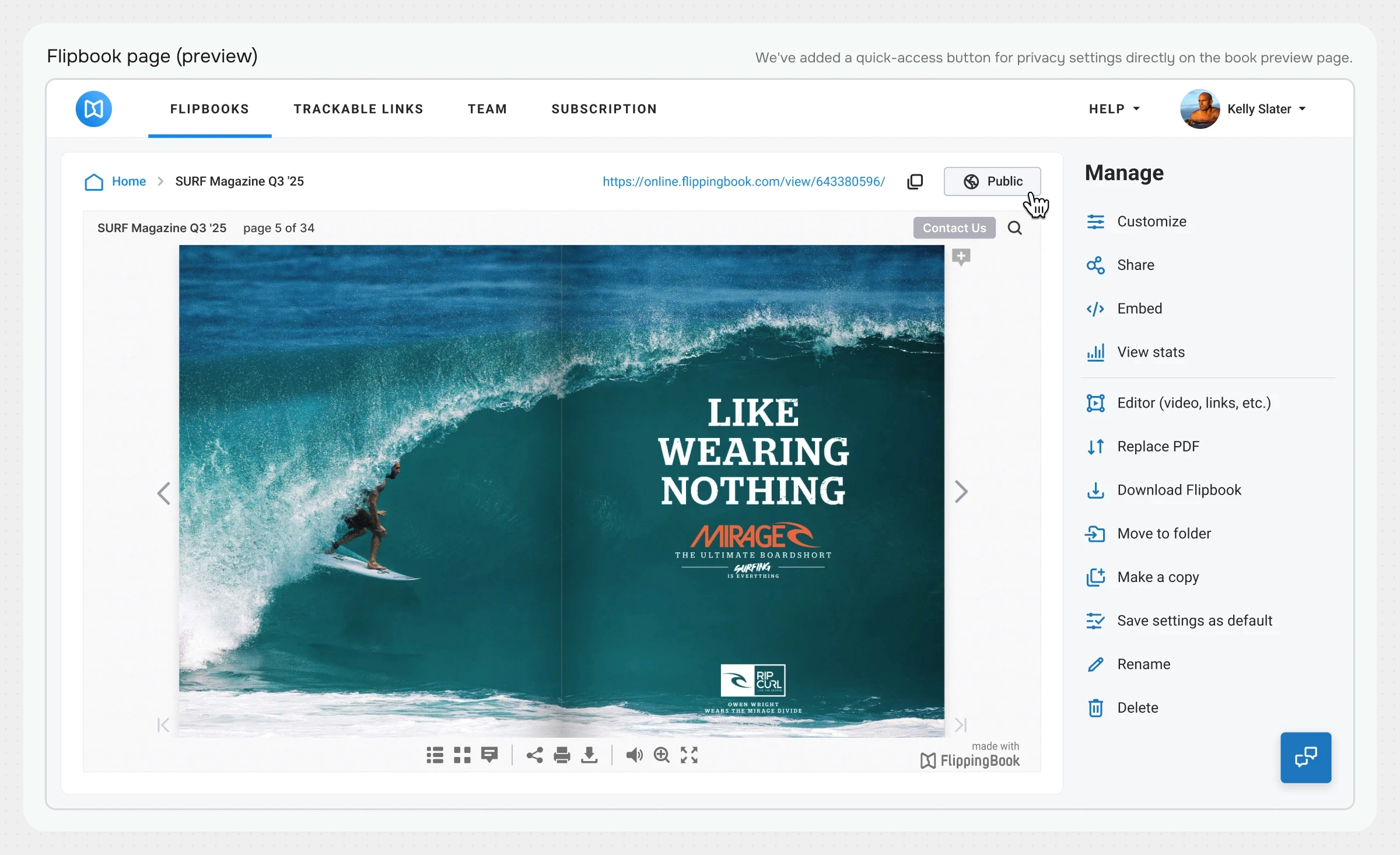
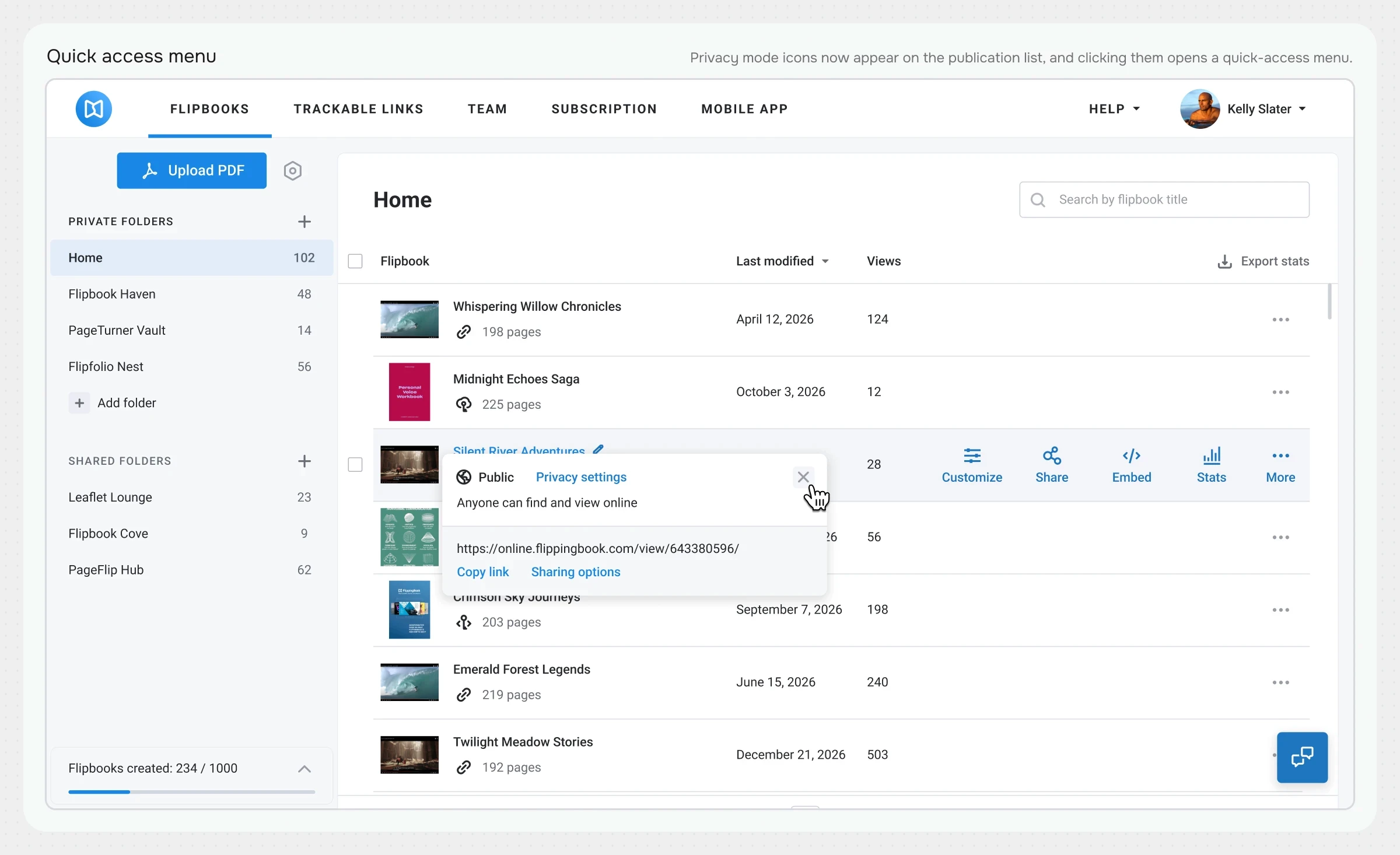
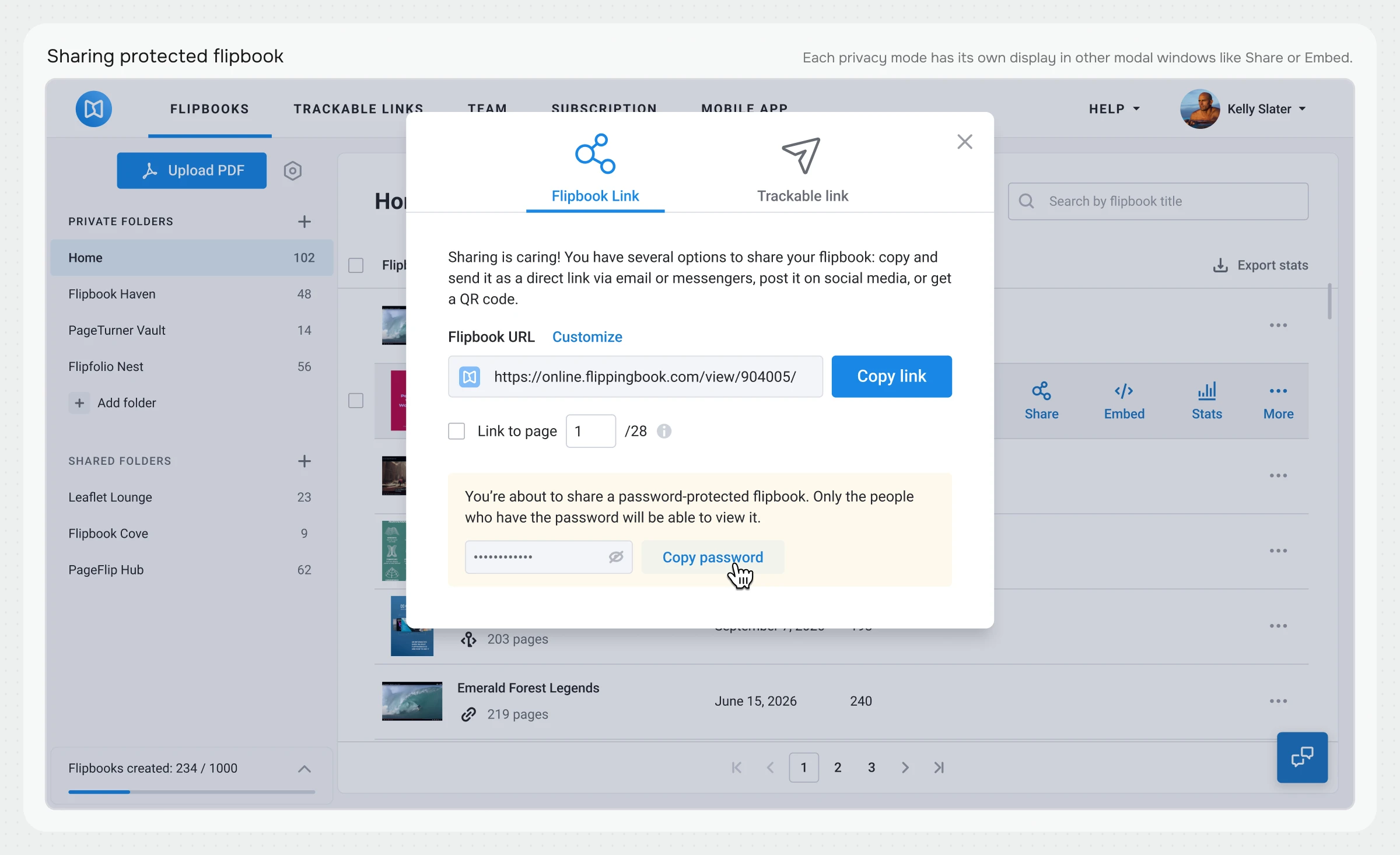
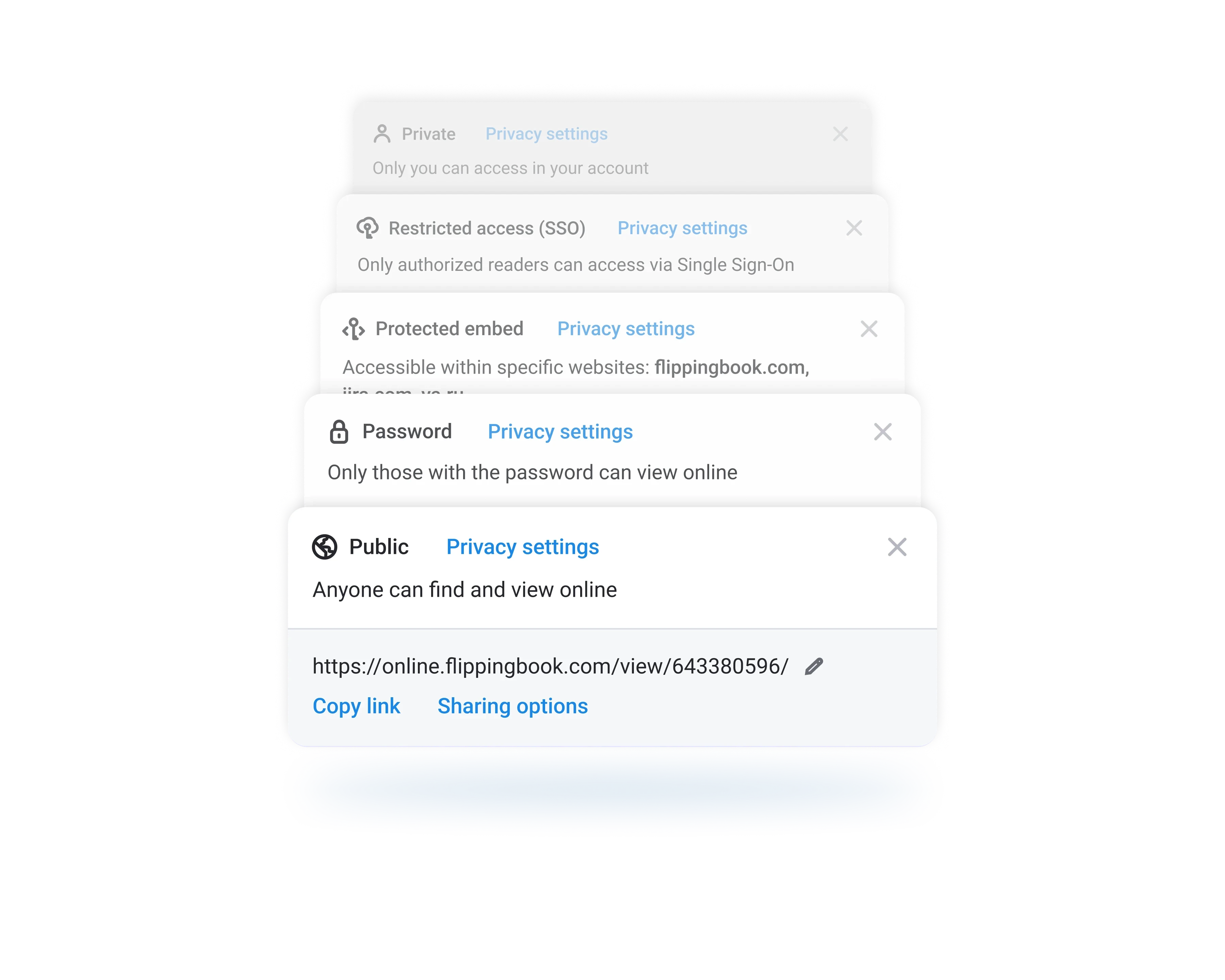
Privacy modes

Their multi-faceted impact on the product

Results

B2B deals

$XXXk+

Churn rate

–45%

Support load

–80%

Retrospective

What I would do differently

Currently, password protection exists as both a standalone mode and a modifier for other modes. Moving password security into a completely distinct modifier layer would yield a cleaner mental model: a user first defines "who has access" and then configures "password required."

Backlog

- Audit Logs: Integration with security logs to track potential link leaks inside enterprise environments. - Auto-Cleanup: Automating the removal of outdated access lists upon customer contract expiration.